
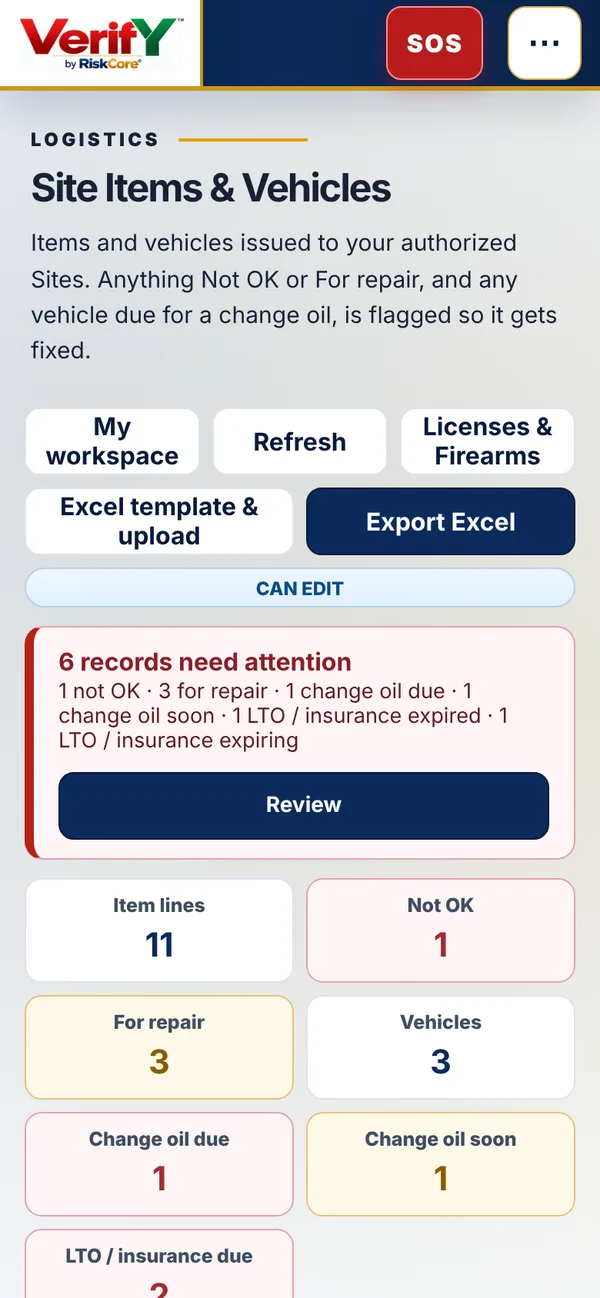
Site items and vehicles
Radios, medicine kits, vehicles, any item issued to the site. Status is OK, Not OK or For repair, with remarks and serial tags. Upload from an Excel template.
VerifY by RiskCore turns guard sign-ins, QR patrols, incident reports and client requests into live, time-stamped records. See who is on post, what was checked and what needs action, from your phone or your desk.
One QR code for every checkpoint, ready to print.
Place each code at its checkpoint. Guards scan right away.
Time-locked checkpoint scans compared against the site location. Off-site scans are flagged, not silently accepted.
Morning and evening shift counts per site and per client, with missed check-outs marked automatically.
Photos, notes and conditions logged from the field, ready for the supervisor and, if you choose, the client.
Client and guard tickets with owners, urgency and reminders so nothing waits unseen.
Approved attendance feeds draft payslips and client accruals by site code, so month end starts from facts.
Radios, medicine kits and vehicles per site, with OK, Not OK or For repair, change oil and a prompt when anything needs fixing.
Guard licenses and the firearm register with expiry dates. An expired license blocks a firearm issue.
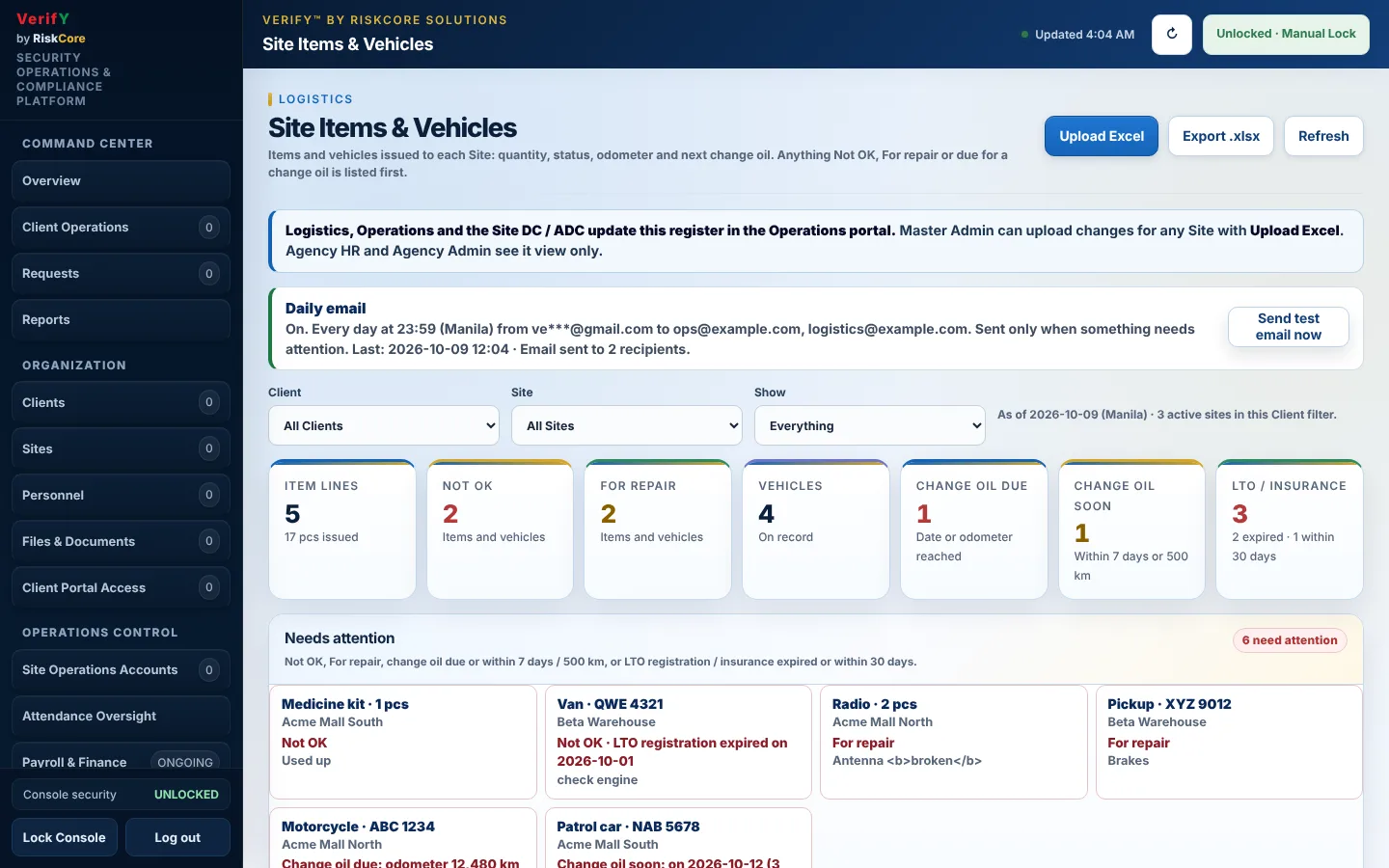
Every morning, one email lists every item, vehicle, LTO or insurance that needs attention.
Role-based access for guards, coordinators, agency admins, finance and clients, with an audit trail of changes.
These are screens from the VerifY demo environment with sample data. Pick a role to see what it sees.
One login page. VerifY opens the profile, functions and site scope that role is allowed to see. Pick a role for a sneak peek.
Screens from the VerifY demo with sample data. Tap a screen to enlarge.
The Logistics user keeps every item and vehicle issued to a site up to date. HR keeps licenses and firearms in order. Anything that is not OK is flagged the moment someone signs in.
Radios, medicine kits, vehicles, any item issued to the site. Status is OK, Not OK or For repair, with remarks and serial tags. Upload from an Excel template.
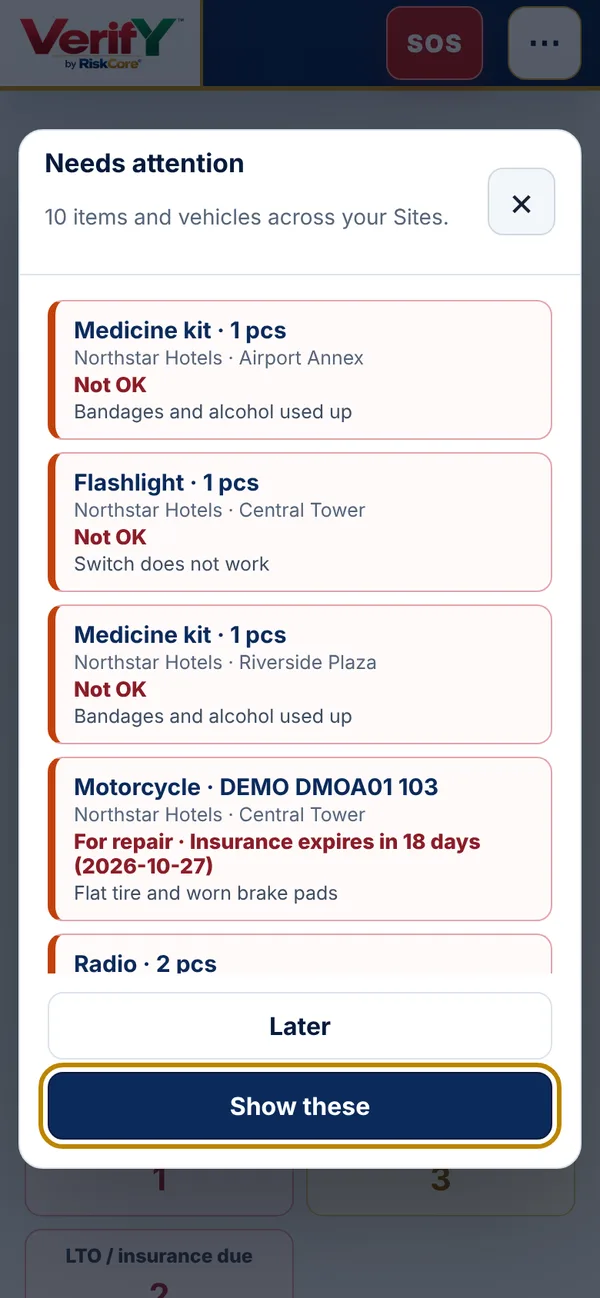
A pop-up and a red banner after sign-in list anything Not OK, For repair, change oil due or soon, and LTO or insurance expiring within 30 days.
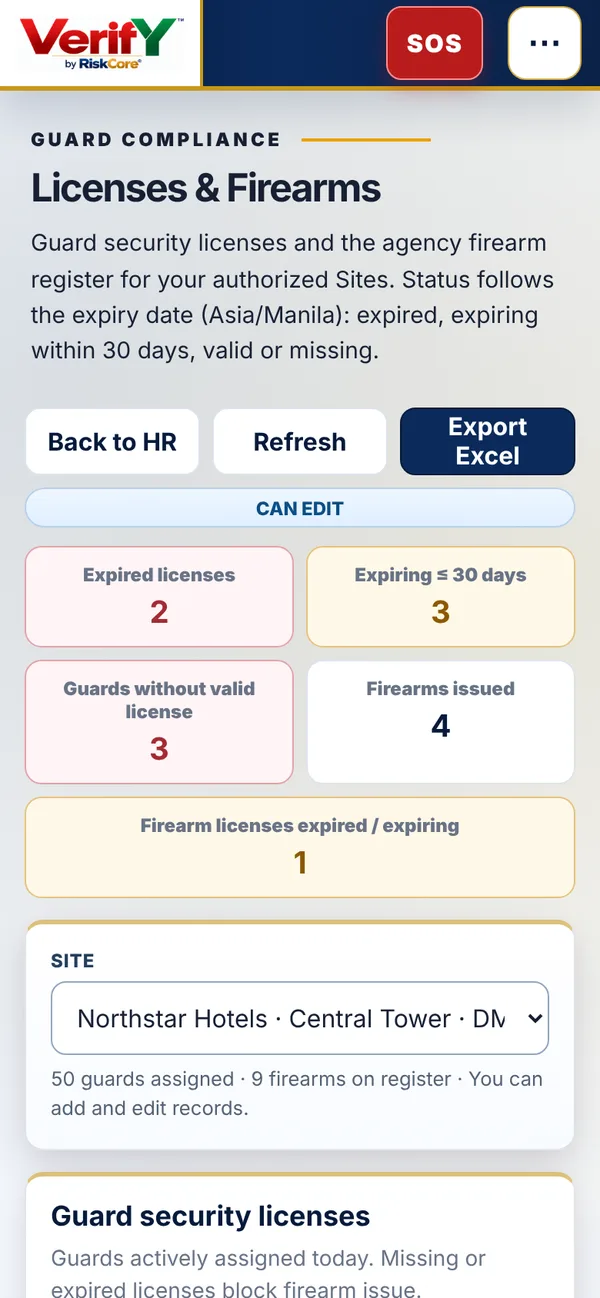
Guard security licenses and the firearm register, with expiry status. A guard without a valid license cannot be issued a firearm. Import firearms from Excel.
Master Admin sends a single email to the people you choose, listing everything that needs attention across all sites. It uses an ordinary Gmail account and nothing extra to install. Master Admin also sees every client and site in one view, with an Excel export.
Six steps from choosing the Guard profile to the first checkpoint. Tap a step, swipe, or let it play.
Move the sliders to match your operation. This is simple arithmetic on your own numbers, not a promise of savings.
Assumes 2 shifts a day, 30 days a month, every round scans every checkpoint, and one sign-in plus one sign-out per guard per day. Change the sliders to match how you operate.
Get a plan for my sitesNo. Guards use their own smartphone browser. Checkpoint QR codes are printed and placed on site.
Each scan records the time and the phone's location and is compared with the site. Scans away from the site are flagged for the duty coordinator. Sites that need stricter control can require the in-app scanner or block off-site scans.
Attendance and coverage per site, patrol and inspection activity, and the requests they raise. Guard tickets stay internal unless your coordinator shares them.
Yes. Approved guard attendance feeds draft payslips and client accruals per site code. Your finance team reviews and confirms rates; nothing is released to guards automatically.
We load your clients, sites, guards and checkpoints from one onboarding workbook, then print QR codes for each checkpoint. We will confirm the timeline for your sites during the demo.
The Logistics user, Operations and the Duty Coordinator or Assistant DC of that site can edit. Agency HR and Agency Admin can view. The client does not see equipment records.
Everyone with access sees a pop-up and banner when they sign in. Master Admin can also send one email every morning listing everything that needs attention, using a normal Gmail account.
Your records are held in a managed cloud database with role-based access and an audit trail. Ask us about backup and retention during the demo.
Tell us about your operation. We will walk you through the portals using a setup that looks like yours.